
Category: Blogging

How I Make Money Blogging

If you’re like me, you dread the question “What do you do?” When I was in the classroom, it was easy to say that I was an educator, an elementary school teacher… Most people understood what I meant and didn’t need clarification.

Now when someone asks me what I do, I tell them I’m a blogger. The confused looks on their faces are priceless. The next question some of the brave ones ask is how do you make money blogging?

If you’re interested in starting your own blog, Hostgator is a great hosting provider. Get up to 70% off your next website.

This is a good question because two years ago I didn’t understand how someone could make money blogging. When bloggers claimed to make thousands of dollars a month, I just assumed they were either lying or selling a lot of ads.

I noticed Google Ads everywhere on many blogs, so this had to be the way most bloggers earned their money. Right?

Then I stumbled upon Pat Flynn’s website Smart Passive Income and read his monthly income reports. I was amazed and was motivated to continue on with blogging because I had concrete evidence it was possible to make money with a blog.

It was also obvious I didn’t have a clue what I was doing since I hadn’t made a dime from my blog at the time.

Most bloggers don’t make half of what Pat Flynn makes, but there are many making full-time incomes from their blogs.

I found income reports from Michelle Schroeder-Gardner (Making Sense of Cents) and Abby Lawson (Just a Girl and Her Blog) very eye opening- to say the least.

These reports inspired me to keep going, even when I wanted to give this whole blogging thing up.

How I Make Money Blogging

If you think that you can put up a blog and make money the next day, you will be sadly mistaken.

Blogging is hard work. It will take time, patience and ingenuity to start making any money.

There are bloggers who are making tens of thousands of dollars a month whereas most aren’t even making enough to pay for their hosting costs.

There are many ways to make money blogging. Of all the ways there are out there to make a living from blogging, many bloggers only use a few of them.

I believe in order to make substantial money, you’re going to have to diversify your income streams. I take that position and I’ve listed the ways I personally make money blogging.

Affiliate Marketing

Affiliate marketing is, in fact, my largest income stream from blogging. I highly recommend any blogger, new or old, to include affiliate marketing as an income stream while blogging.

Affiliate marketing involves recommending products and services that you absolutely love and have used to your followers. If someone clicks on a link and purchases something based on your recommendation, you’ll receive a percentage of the sale.

Now to be totally transparent, I dabbled in affiliate marketing before I started blogging.

It has only been within the last year that I have transitioned from internet marketer to blogger. I’ll speak more about that in a later post, but my focus is more on educating and less on selling.

You can use affiliate marketing while you’re creating your own products. Though there’s a strategy to being successful with affiliate marketing, it’s one of, if not the easiest income stream you can have.

Michelle makes over $50,000 a month from her blog, primarily from affiliate marketing. If you’re looking to up your affiliate marketing game, check out her course Making Sense of Affiliate Marketing.

I only believe in recommending products I use or have used and it’s no surprise that my biggest affiliates include Amazon Affiliates, Bluehost, Genesis Framework and more recently blogging books. These tools have been monumental in my blogging journey.

Display Advertising

Your blog’s traffic can bring you income with display advertising. By putting ads on your blog, you will make money based on impressions (how many eyeballs that come across your ad) or clicks. Google Adsense is the biggest network out there, but not the only one.

Now I admit, I’m like everyone else who vomited Google Ads all over their blogs. On every blog I run, I placed Google ads throughout them. Of course, I found out much later that Google frowns upon having more than two ads on every page.


I don’t make much money from Google Ads because you will, in fact, need a lot of traffic in order to make money from it. I don’t make a lot of money from Adsense, but thought I would mention it in case my income increases later on.

I recommend using Google Adsense if you have a lot of traffic or blog posts that can’t be easily monetized in other ways. If you’re looking for an alternative to Google Adsense you may want to consider Media.net, Chitika or Bidvertiser.

Selling Ebooks and E-courses

I haven’t produced a lot of my own products, simply because I haven’t really had the time to do so. I’ve created an ebook How to Make Money Planning Cabaret Parties which is currently listed on Amazon and two e-courses Jump Start Your Online Biz and Blog Your Way to 3k.

These courses are only available twice a year, but I’m working on making both of these courses evergreen programs.

I like the idea of creating my own products, especially e-books, because once you’re done – you’re done.

You can keep selling the same product over and over again without any more effort on your part. You literally can make money while you sleep.

Coaching

I coach women entrepreneurs who are looking to build and grow online businesses. I’ve included coaching on this list because I use blogging to advertise and support my clients.  I blog and sell coaching services over at Bossy in Heels.

I am in the process of cutting down on the number of clients I take because working one-on-one is time-consuming. There’s only so many clients you can work with on a daily basis, therefore minimizing the amount you are able to make.


5 Must-Read Books for New Bloggers

Now I’m not going to tell you that blogging is a quick path to riches because it’s not. Harsh reality is that most blogs fail. Most get less than 1,000 visitors a month and some never, ever make a single penny. Yes, blogging may be a passion, but there are costs associated and doing it for the fun of it get’s old real fast.

I believe that most bloggers can maximize their earnings in a shorter amount of time if they educate themselves in the beginning on how to start and run a successful and profitable blog. Education can be received through e-books, which is why I’m recommending 5 must-read blogging books to get you started.

If you’re interested in starting your own blog, Hostgator is a great hosting provider. Get up to 70% off your next website.


Many seasoned bloggers will tell you that it took them several years to make any money from their blogs. When you start to peel back the cover to their not-so-overnight success, you’ll find that most of these bloggers admit that they only started making money once they took their blog seriously and treated it like a business.

Just imagine if these bloggers put together a business plan and a marketing strategy BEFORE they even put up their first post. I bet that some of them would have made money sooner-rather-than-later.

*This post contain affiliate links. Please read my disclosure policy here.*

Most newbie bloggers will throw up Google ads and hope for a miracle, only to be disappointed when at the end of the month they noticed they only made $10 (a real bummer when the payout threshold is $100).

I did the same thing and was frustrated when I couldn’t make any money, even when I spent a lot of time posting great content and sharing my posts on social media.

Below I have listed 5 books I highly recommend for newbie bloggers who are trying to turn a profit from their blog. These books are written by women who walk the talk and are making serious money.

Must-Read Blogging Books I Recommend for Newbies

How to Blog for Profit Without Selling Your Soul by Ruth Soukup

Most bloggers have heard of How to Blog for Profit Without Selling Your Soul and for good reason, too. I consider it to be the Holy Grail when it comes to blogging as a business. For me, it was one of the first books I read that gave me the idea that I could actually make money from blogging.

I mean real money, not just grocery or going out money, but money that could pay my mortgage and replace my teacher’s salary. Ruth Soukup blogs over at Living Well Spending Less and has created not only this book but an entire academy on blogging as a business.

In Blog for Proft, Ruth not only gives you case studies of bloggers making money from their blogs, but also the different ways you can bring in some income.

This book explains how important it is to diversify your income and help you to consider which ones are best for your blog and brand.

How to Blog for Profit is available on Amazon. I purchased the Kindle version first but soon wanted to have my own copy to hold. I refer to this book often and having a personal copy made it much easier for me to highlight and refer to later.

If you are considering starting a blog or interested in making money from a current one, this is the book to start with.

The Power of Visual Storytelling by Ekaterina Walter

The Power of Visual Storytelling is not a blogging book per se, but if you are selling products and services online – you need this book. Listen to me when I tell you, – you need this book.

I first became aware of this book after listening to one of my favorite Periscopers. She mentioned this book as one of the must-have books for business owners. I think it is especially great for content providers such as bloggers.

I purchased my book from Amazon and was pleasantly pleased when the book arrived. This book includes a lot of practical advice on how to become present in an online space and how to leverage not only the content you produce and share with others but also through your social media platforms. The author actually goes through each platform and explains the best times to post as well as the best content to share on each specifically.

The author discusses how the world is becoming more visual. In order to be heard, you must put a strategy together that presents your messaged in a visual format. She discusses how powerful visual storytelling is and the importance of creating content that reflects this. In blogging especially, why images are important, as well as how social media platforms such as Pinterest and Instagram have exploded.

Blogging on the Side Where Passion and Profit Meet by Becky Mansfield & Paula Rollo
 

I wish I could tell you how I stumbled upon Becky & Paula’s blog, but I can’t. Maybe I came across from a pin from Pinterest or via a Google search. It doesn’t matter how I found them, I am just thankful that I did.

Becky and Paula both run separate blogs. I would call them mommy bloggers since they tend to blog quite a bit about parenting and family.

In addition to their personal blogs, they run Becky & Paula where they discuss in detail how to start and run a successful and profitable blog. Each found that they were receiving a lot of blogging questions from readers. So much so, they decided to dedicate this blog to helping people build their blogs.

Each alternating chapter in this book is written by the other, which is awesome because it get’s both of their perspectives on making money blogging. Both ladies share what worked for them and what didn’t. They provide practical advice that you can apply immediately to your own blog.

While reading this book, I have made several changes to help optimize my blog, including changing the sizes of my images and the design of my blog.

Blogging on the Side gives tips on how to have a work-life balance as well as give tips on how to make money with the blog. Becky & Paula make a good amount from e-books they have created and includes tips on how to create your own.

*After you purchase Blogging on the Side, you’ll get a discount code of $5 to use towards any of their other e-books, which I’m sure you’ll want to use.

Building a Framework: The Ultimate Blogging Handbook by Abby Lawson

Building a Framework: The Ultimate Blogging Handbook | JustAGirlandHerBlog.com

Upon finding Abby’s blog, A Girl and Her Blog, I have always wanted to purchase her e-book, Building a Framework: The Ultimate Blogging Handbook.

I knew that if I really wanted to get serious about blogging as a business, I needed her book. It took me a couple of months before I actually purchased it because I didn’t know if this would help me more than any other blogging book I have picked up.

I mean what more could I learn from blogging that I didn’t already know?

Apparently a lot.

Building a Framework is one of those e-books that should be on the list of required reading for bloggers if they were giving degrees out for blogging. It’s really that good. Abby takes the reader step-by-step through her process of a blog to business as well as the mistakes she has made along the way.

She includes basic information such as building your blog, but also includes the different ways to make money blogging. In addition, she includes social media and how to leverage it to gain more followers as well as working with brands.

In my opinion, she spends a little too much time in the beginning, going over how to create a blog. However, it could be great for someone who has never built a blog before. If you’re like me, you could just skip over this part and start where you’re at. I do like how she shows her actual marketing strategy on social media.

Though you can’t expect to duplicate her results, it sure helps to get insight into how she turned her blog into a success.

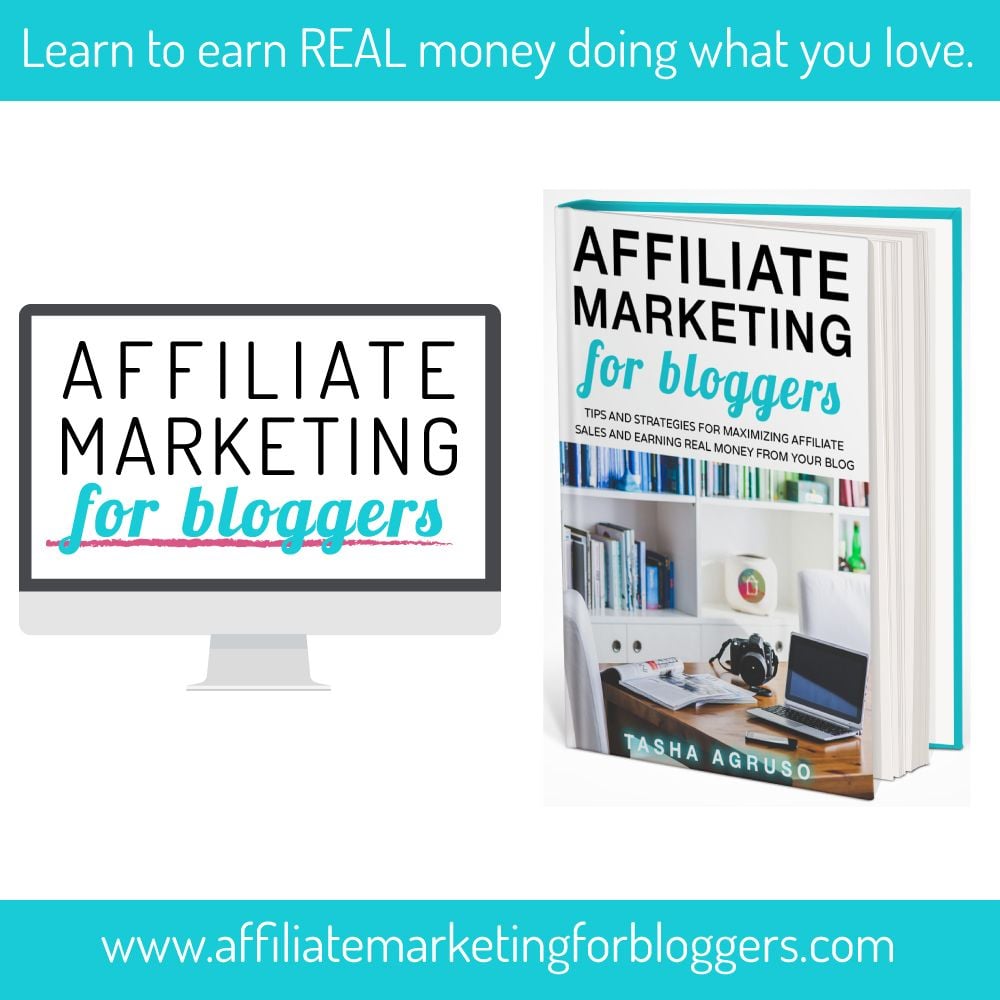
Affiliate Marketing for Bloggers by Tasha Agruso

affiliate marketing for bloggers

Affiliate Marketing is one of the main ways I have ever monetize my blogs. In the past, I would create blogs and just slap affiliate links throughout the post. Needless to say, this didn’t work that well. In fact, there were times I didn’t make one dime.

I even paid for a course that showed me how to create a niche site around a product using affiliate links. Trust me, the way the course showed me how to make money with affiliate marketing didn’t work.

In the beginning, I just slapped Google Ads all over my blog. Once I realized Google Adsense wasn’t working for me, I figured it had to do with the number of page views my blog received. Truth be told, there’s no direct correlation between the number of page views and money earned. Great news, because it proves it is possible to make a significant amount of money as a small blog.

Affiliate Marketing for Bloggers showed me that affiliate marketing is a great way to make money, even if you’re a small blog. If you’re strategic, upfront and honest about the products and services you recommend to your readers, you’ll do pretty well. My affiliate marketing strategy didn’t work in the past because according to this book, no one is going to buy from you if you’re just throwing links all over the place.

Her part on deep linking was very informative because until I read her book, I never understood how important it was and became a game changer for my blog.

Tasha runs the blog Designer Trapped (in a Lawyer’s Body) and earns a nice living from affiliate marketing. This strategy works well for her since she often recommends products she used in her DIY projects. At the time she printed her book, she was earning over $1500 per month in affiliate sales.

Check out the Tools I Use to Run My Blog

Well, there you have it, my list of the 5 must-have blogging books for newbies. I hope you decide to pick up one or more of these books to help you in your blogging journey. I promise you won’t be disappointed. There is a wealth of knowledge within the pages of these books, you are bound to help your blog grow.

If you don’t have a blog yet and don’t know where to begin, check out my post on How to Start a Blog for a step-by-step guide.

As always, if you enjoyed this post, please share it with a fellow blogger.

How to Start a Blog – A Step-by-Step Guide

Want to know how to start a blog?

I love blogging and I believe that anyone who wants to start a blog should. I have made money from blogging to pay off bills and plan on turning this into a full-time gig.

If you’re looking to start a blog for pleasure or profit, I show you how to do so – step by step.

If you have always wanted to start a blog, there’s no better time than the present. Starting a blog is easy and should be done with as little stress as possible.

Trust me – you’ll have to spend so much of your time writing and pushing out content, you won’t have the energy to bother with the technical aspects.

How to Start a Blog

Step 1: Choose a Niche or Topic

This may seem obvious, but before you start your blog you should first determine what you’re going to write about. It’s important and it can make or break your site from the very beginning, so you must definitely put some thought into what you’re going to blog for.

Are you blogging for pleasure or hoping to turn your blog into a profitable business? This is especially important, because you may enjoy talking about bees, but if you don’t have something to share that others are willing to read, then you won’t get any traffic.

Traffic = Money

Before committing to a topic or niche, start researching some of you passions and see if there is a market for it. If you think you have an idea that may work for you, move on to the next step.

Tools to Help You Research Your Topic

  • Google Keyword Tool
  • Neil Patel’s Uber Suggest
  • Pinterest
  • Amazon
  • YouTube

Step 2: Purchase a Domain

Now that you have selected your topic or niche, then you will need to obtain a domain and hosting.

Your domain is the URL address your visitors will type to find you.  I suggest brainstorming a few ideas first before settling on one domain name.

The hosting is where your blog will reside. You will need to purchase hosting. There are many hosting providers out there and you can save a lot of money, especially when you just start your blog. If you’re interested in starting your own blog, Hostgator is a great hosting provider. Get up to 70% off your next website.

Say ‘Yes” to a Self-Hosted WordPress Blog

If you want to start a blog and especially if you want to turn it into a business, you need to have a self-hosted blog. I always recommend getting your blog self-hosted and installing your blog on the WordPress.org platform. It’s not free, but the cost is minimal and so very worth it. You own it and no one can tell you what to do with it.

Planning on making money from your blog? Then you definitely need to get a self-hosted one. Not only is it more professional, but let’s be real here, who’s going to take you seriously if you’re hosting on a free platform? How do you expect to attract sponsors if you are unwilling to make an investment of less than $100 a year? You spend more than that at Starbucks.

Step 3: Sign up for Hosting (These instructions are for Hostgator, which I recommend – however, any hosting plan will work).

Go to Hostgator using my link here and click on the green “Get Started Now” button to begin and move on to the next screen.


Select the plan you would like to purchase. You have the option of the hatchling, baby, and business plans. If you intend to have only one domain and one website, you will be fine with the hatchling plan. If you think you may have multiple websites, you might want to purchase the baby plan.

Enter a domain name you would like to get hosting for. Have a domain already? You can still use that one with your new hosting.


Continue and select your hosting package. You can pay month to month, but your biggest discount is with the 36-month plan.

Enter your billing information.

Select additional services. Additional options may be checked, but you may uncheck the boxes before purchasing them. These are options that you might want to purchase but are not necessary.

Enter the coupon code FREEUPGRADE3, if this block is blank (usually it’s not).

Review your order details.

Click “Checkout Now” to purchase your domain and hosting.

In a few moments, you’ll receive an email with instructions on how to access your hosting cpanel.

Step 4: Choose a Blogging Platform

I suggest choosing a blogging platform before you even determine the name of your blog. Doing so will make things ten times easier. All blogs are built on a platform, think of it as being the frame or the walls of a house.

There are free options such as Blogger and WordPress.com as well as paid ones such as WordPress.org. With all things free, there are limitations, however. Blogger is owned by Google, but just like WordPress.com, you don’t own it. What’s worse, you’ll get a long URL that looks something like http://www.yourblogname.blogspot.com, which no one will remember.

Step 5: Install Your Blogging Platform (I Recommend WordPress)

Once you’ve purchased a domain and hosting, you will need to install WordPress onto your blog. WordPress.org was developed as a blogging platform, so it’s no surprise that it’s the top choice for bloggers. Though there are many others out there, I believe this is the easiest platform to set up.

  • Please note that there are two WordPress platforms:
  • 1) Hosted: WordPress.com and
  • 2) Self-Hosted WordPress.org.

These are the instructions to install WordPress. org onto your self-hosted website.

You can install WordPress on your blog through your hosting provider’s control panel. It takes only a few minutes to install and then you’re done. One click install and you don’t even need to know how to code. It’s free, but it only works on self-hosted sites.

1. Go to Hostgator.com and click on the “Customer Portal” upper right-hand corner to log in.

2. Login to your hosting cpanel with the credentials. Check your email if you forgot to write these down when you signed up. Click on the “Hosting” tab.

3. Scroll down to click on “Launch Quick Install” (there’s also an option to go to WordPress directly as well).

4. On the next screen, fill out the details for your new blog.

5. Next, select the domain you would like to install WordPress on from the drop-down menu. This is easy if you only have one domain.

6. On the next screen, enter the information for the site, such as the name and admin information. I highly recommend not to use “admin” or the complete name of your blog as your username. Make it easy for you to remember, but difficult for hackers to figure out.

Read and accept the terms and conditions and click the green “Install WordPress” button.

The next screen will let you know the installation was a success and you are now ready to design your WordPress site.

Step 6: Choose and Install a WordPress Theme

If you are not a website designer, don’t fret – you can have a professional-looking and beautiful theme for your website. A theme is pretty much the design of your blog. Since I love the house and home references, think about the paint and the furniture within your home.

The theme is how your blog will look and how it differs from the next blog.

As always, there are free and paid options when it comes to determining which WordPress theme to choose. You can go to your WordPress dashboard and find a free theme through its database.

There are literally thousands to choose from and I would suggest that you browse to get a sense of the look and feel you would like for your blog to have.

However, as with all things that are free, there’s a catch. Free themes may look pretty, but they often lack the functionality you will need to have your blog make money for you (if you so choose to make money from it). You will notice that even the free themes have paid options to upgrade to.

You need a premium theme to have a professional-looking blog. And I recommend Genesis from Studio Press.

I build all of my blogs, including Living Simply Fabulous, on the Genesis Framework using child themes to change the look and feel of your site. Genesis is pretty much the gold standard when it comes to WordPress themes and you might have noticed that many of your favorite bloggers use it (check their footer).

In order to use any of the child themes from Studio Press, you must purchase and install the Genesis Framework (the parent theme) first.

The great thing, however, is that the Genesis Framework is a one time purchase. So if you get tired of how your blog looks, you can purchase another child theme. You can purchase the Genesis Framework and a child theme of your choice here.


Currently, I am using Parallax Pro from Studio Press, but there are much more to choose from on their site. You can purchase the Genesis Framework and a child theme from Studio Press through my affiliate link here.

Step 7: Install Plugins

If you’re a programmer, then I give you permission to skip this part – however, if you’re like most of us you’re not. You could hire a programmer to write code for your website to make it do so many awesome things, such as install a pop-up box asking new visitors to join your newsletter, but you don’t need to. That’s too expensive and so unnecessary, especially at this level of blogging.

The next best thing to your own in-house programmer is to install plugins to your WordPress blog.

Plugins add functionality to your website without you hiring a programmer or having to know code yourself. If you want your blog to act and behave a certain way, 9 times out 10 there’s a plugin for that.

Many plugins are free (Yippeee!) with most of them offering premium upgrade options. Plugins are a godsend and without them, my blogs would look a mess.

I have different plugins I use throughout my blogs, however, there are a few that I recommend and use on each one of my blogs (see below).

Adding plugins to your website will add to your load time, so don’t bog your site down with too many plugins. After you become comfortable with WordPress, you can find the plugins that work best with your site and make changes accordingly.

How to Install Plugins

Go to your Dashboard in WordPress and click on Plugins and Add New. You can either upload a plugin you have downloaded or find one using the search bar.

I suggest you install the following plugins on your blog:

(Please note if the plugin will work or is compatible with your theme. If you find that a plugin causes your blog to crash or otherwise act funky, then you will want to find a comparable, but compatible one).

  • Yoast SEO – helps you to create SEO friendly posts
  • Google Analytics – not necessarily a plugin, but you need to have this on your blog nonetheless
  • Pretty Links – allows you to turn ugly affiliate links to a much prettier one
  • Contact Form 7 with Captcha – installs a contact form for your readers to get in touch with you
  • Jetpack – Allows WordPress.org users to use some of the features available to WordPress.com users
  • Akismet – Must have. Blocks a lot of spam from ever reaching you
  • WP Editorial Calendar – Helps you to schedule your posts to go live, leaving you time to do other things.
  • W3 Cache – Helps to speed up your blog, which will improve reader experience
  • No Follow All External Links – Necessary if you plan on using affiliate links throughout your blog

One additional thing to note, plugins can open the door to hackers. Yes, there are many people out there with nothing better to do than to crash your site and mess up all your hard work. Their goal is to steal and sell your personal information. One way they get in is through plugins. To minimize your risk, just make sure to update plugins whenever one comes available. These updates often include bug fixes that will help your blog to run more efficiently.

There you have it. This is how you start a blog from scratch. Very easy.

Ready to turn your blog into a business? Check out these articles: